Get started
Tidegate is a free SSH, SFTP, RDP and VNC client for Windows, macOS and Linux. This page gets you from the download to your first connection. The other pages explain each part of the app.
Install
Get the newest version from the download section. Every file there is the same version, and its checksum is listed next to it.
Windows
Windows 10 and 11, 64 bit. Pick one of two files:
- Installer. Installs Tidegate for your user, with a Start menu entry. Updates install in place and keep your data.
- Portable. One exe that runs without installing. Make a folder named
datanext toTidegate.exe, and everything is kept in that folder. That way you can carry Tidegate on a USB stick.
macOS
macOS 12 or newer, on Apple Silicon (M1 and later) or Intel. Open the dmg and drag Tidegate to Applications.
Tidegate is not signed by Apple yet, so macOS calls a downloaded copy "damaged" and will not open it. Run this line once in Terminal, and it opens from then on:
xattr -dr com.apple.quarantine /Applications/Tidegate.appLinux
64 bit Linux. Three packages:
- AppImage. Runs on most distributions. Make it executable with
chmod +xand start it. It can update itself. - deb for Debian, Ubuntu and Mint:
sudo apt install ./Tidegate-<version>-linux-amd64.deb - Arch and its relatives:
sudo pacman -U ./Tidegate-<version>-linux-x86_64.pacman
Tidegate uses your desktop keyring (GNOME Keyring or KWallet) to lock keys and 2FA codes to your user. Without a keyring, they are kept in the encrypted vault instead.
The first start
The first time Tidegate opens, it asks how to begin.
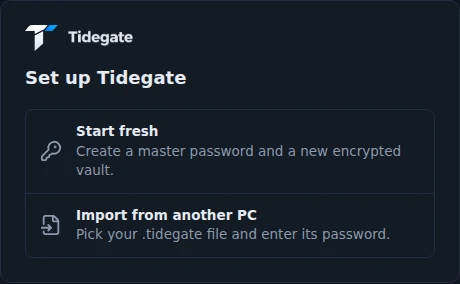
- Start fresh or import. Start fresh makes a new, empty vault. Import from another PC takes a
.tidegateexport file and its password. See moving to a new PC. - Pick a master password. At least 8 characters. A short sentence works well. Everything you save is encrypted with it. There is no way to get it back if you forget it, so keep it somewhere safe.
- Or start with a passkey. On Windows you can skip the master password and unlock with Windows Hello or a security key instead. Tidegate then shows a recovery code once. Write it down: it is the only way in if the passkey is lost.
- Choose if keys may move. Tidegate asks if your SSH keys and 2FA codes may move to a new PC with an export. If not, they are also locked to this computer and left out of exports.
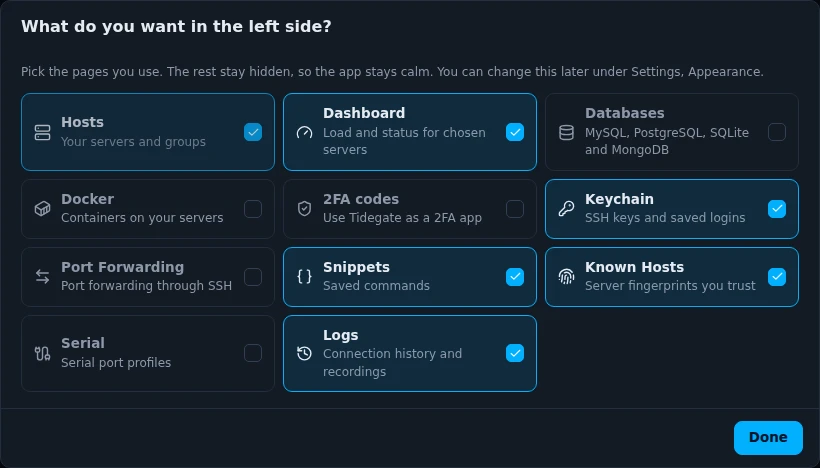
- Pick the pages you use. The left side only shows what you pick. Hosts is always there. You can change it later.
- Updates. Tidegate asks once if it may look for new versions. It is off until you say yes.
Finding your way
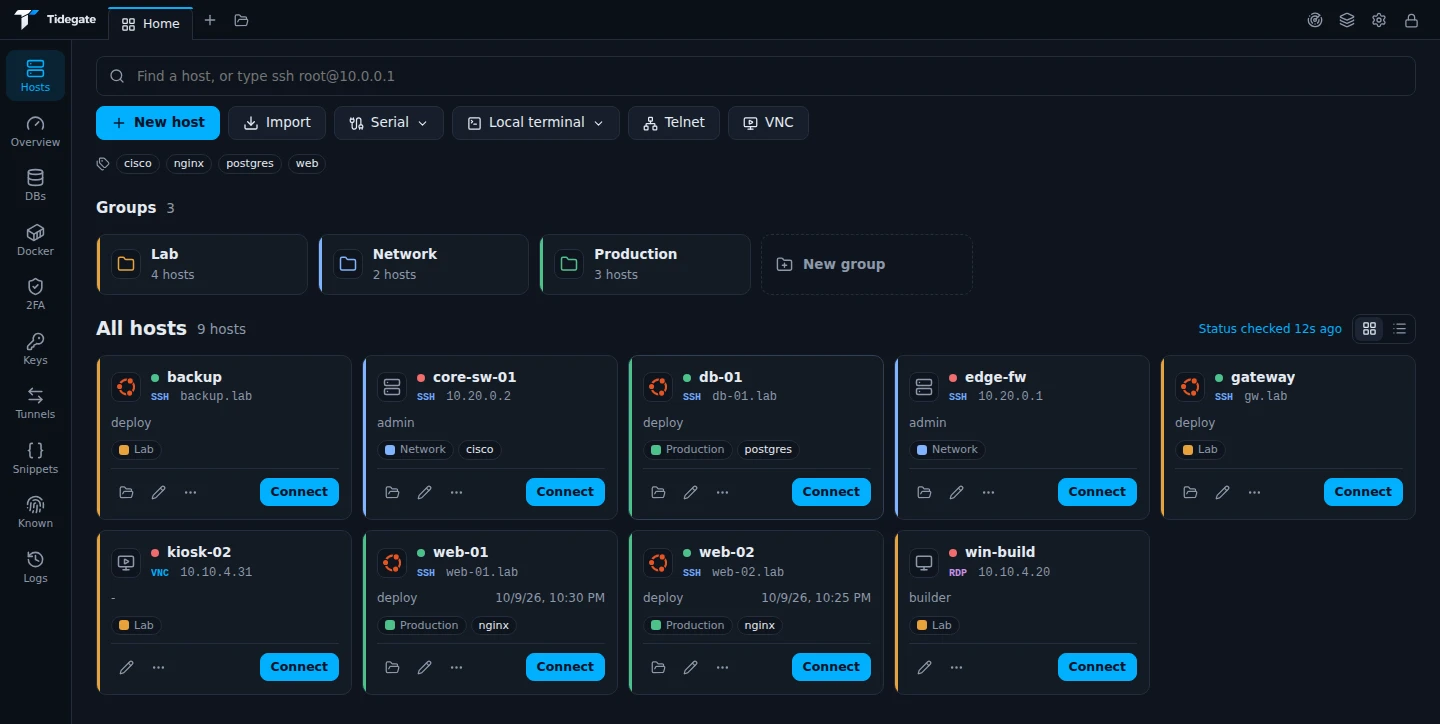
- Tabs run along the top, like in a browser. Home is always first. The + opens quick connect, and the folder opens a new file tab.
- The left side holds your pages. More at the bottom lists every page. Click a page to open it once, or pin it to keep it on the left side.
- Top right are Network tools, Workspaces, Settings and Lock.
- Quick connect. Press Ctrl+Shift+K anywhere, or click the search field on Hosts. Type a name or
user@hostand press Enter.
Your first connection
- On Hosts, click New host.
- Type the address, and the username under Credentials. Leave the password empty if you want to be asked each time.
- Click Save, then Connect on the new card.
- The first time, Tidegate shows the server's fingerprint. Check it, then click Trust and connect.
In a hurry? Type ssh root@10.0.0.5 in the search field and press Enter. That connects without saving anything.
On a Mac
The app is the same on every system. A few things are different on a Mac:
- Cmd works where the docs say Ctrl. In the terminal, Cmd+C and Cmd+V copy and paste, while Ctrl+C still goes to the server.
- The menu bar at the top has Connect, Go and the other menus, with your own shortcuts.
- Touch ID can unlock Tidegate instead of Windows Hello.
- RDP hosts open in Microsoft's Windows App. See Remote desktops.
- Security keys (FIDO2) are only supported on Windows for now.