Docs / Settings and shortcuts
Settings and shortcuts
Open Settings with the gear at the top or with Ctrl+comma. Everything new in Tidegate can be turned off, and rarely used things sit under Advanced.
Keyboard shortcuts
| Keys | Does |
|---|---|
| Ctrl+Shift+K | Quick connect and search |
| Ctrl+Shift+W | Close the tab |
| Ctrl+Tab / Ctrl+Shift+Tab | Next and previous tab |
| Ctrl+Shift+D | Split the terminal |
| Ctrl+Shift+B | Broadcast typing to all panes |
| Ctrl+Shift+F | Find in the terminal |
| Ctrl+Shift+O | Open SFTP for this terminal |
| Ctrl+Shift+L | Lock |
| Ctrl+, | Settings |
| Ctrl+Alt+Space | Show Tidegate from anywhere (off until you turn it on) |
Change any of them under Settings, Shortcuts. On a Mac, Cmd works in place of Ctrl, except with Tab, since Cmd+Tab belongs to macOS.
What is where
| Page | Holds |
|---|---|
| Appearance | Theme (dark, light or follow the system), language, which pages show on the left side |
| Terminal | Font, size, cursor, scrollback, command suggestions, help for network gear |
| Colors and highlighting | Color scheme and the words to color |
| Copy and paste | Copy on select, the keys for copy and paste, right click, the warning for many lines |
| Shortcuts | Every shortcut above |
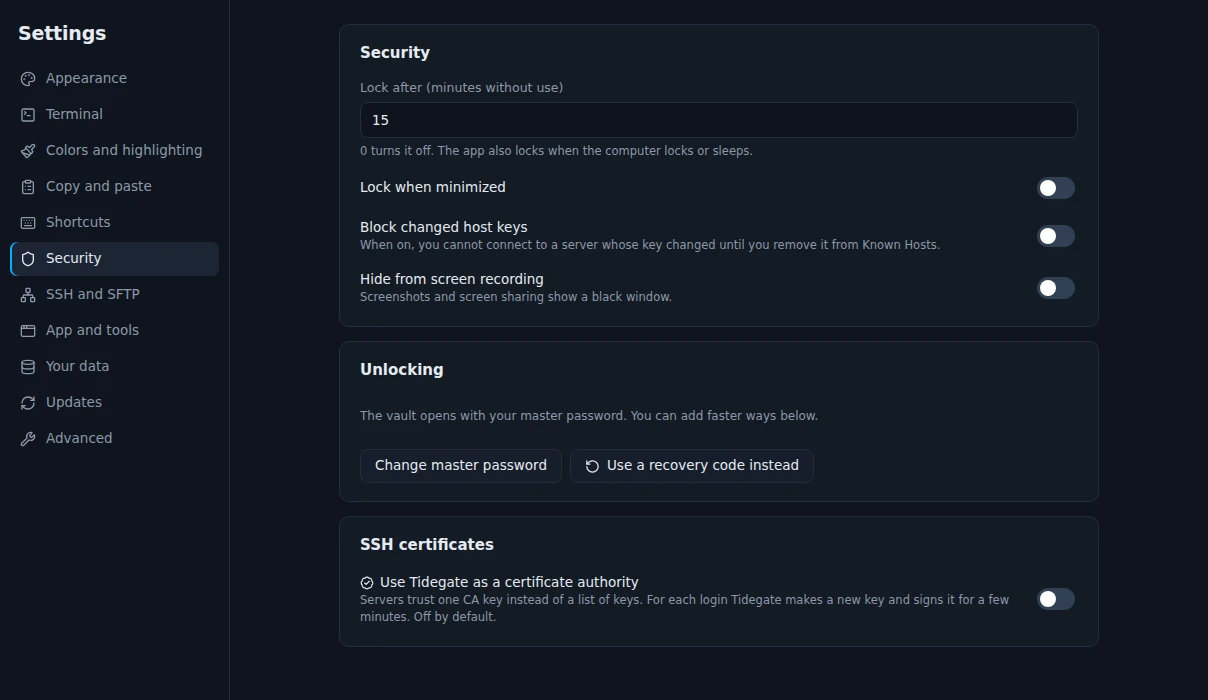
| Security | Lock time, strict host keys, hide from screen recording, ways to unlock, SSH certificates |
| SSH and SFTP | Keep alive, the server info bar, hidden files |
| App and tools | Tray icon, global shortcut, online status, your own editor, session recording |
| Your data | Export, import, backups, sync, delete everything |
| Updates | Look for updates, download only what changed |
| Advanced | Triggers, text session logs, the button bar, ZMODEM, X11 |
Tray and global shortcut
Under Settings, App and tools, Tidegate can show an icon in the tray and keep running there when you close the window. Tunnels and sessions keep going until you quit from the tray menu. The global shortcut Ctrl+Alt+Space brings Tidegate up with quick connect from anywhere.
Your language
Tidegate comes in English and Danish. To add another language, go to Settings, Appearance, click New language and type a code like de. Tidegate makes a copy of the English file in your languages folder. Translate the texts, keep the keys and the {placeholders}, then pick the language. Texts you have not done yet fall back to English, so a half done file works fine.